Edit, reschedule or stop a campaign
Updated
Quick answer
Once a campaign is launched you cannot change its time, contacts or agent. To change anything, click Stop on the campaign card, then create a new campaign with the new settings. A stopped campaign cannot be resumed, and calls already ringing finish normally.
Can I edit a campaign after launching it?
No. After you click Launch Campaign, the start time, end time, calling hours, retries, agent and contact list are fixed. There is no edit button on a launched campaign.
This also applies to a campaign that has not started dialling yet. If you set it to start at 4 PM and now want 6 PM, you need to stop it and create a new one.
Reschedule a campaign
- Open Campaigns in the sidebar.
- Find the campaign, click Stop, then click Stop again to confirm.
- Click New Campaign and upload the same CSV file.
- On the schedule step, set the new Start Date and Start Time, then click Launch Campaign.
If the old campaign already called some contacts before you stopped it, remove those rows from the CSV first, or they will be called again. You can see who was called by opening View Analysis on the old campaign, or by filtering the Calls page by that campaign.
Change the agent, script or contacts
- Script or voice: edit the agent itself on the Agents page. You do not need a new campaign for this. Calls that start after you save use the updated agent. Calls already in progress are not changed.
- Different agent or different contact list: stop the campaign and create a new one.
Stop a campaign
- Open Campaigns.
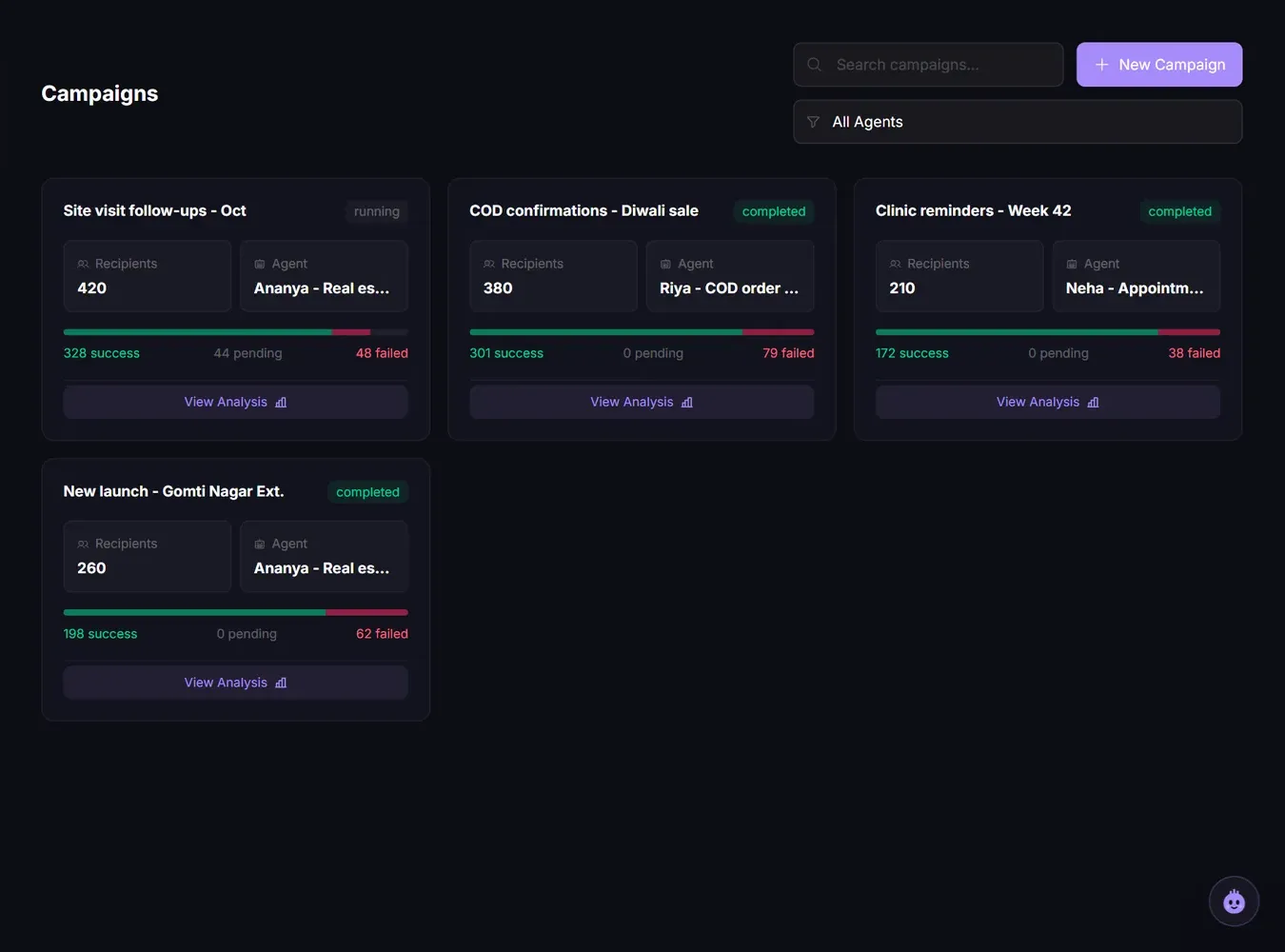
- On the campaign card, click Stop.
- Click Stop again to confirm, or Cancel to keep it running.
You see "Stopped ... Calls already ringing will finish." and the campaign's status changes to terminated.
The Stop button only shows while a campaign is still active. Completed and stopped campaigns do not have it.
Only a Member, Admin or Owner can stop a campaign. Viewers cannot.
What happens to calls when you stop
| Call state when you stop | What happens |
|---|---|
| Already connected and talking | Finishes normally and is charged for its length |
| Waiting to be dialled | Cancelled, never dialled |
| Waiting for a retry | Cancelled, no more retries |
Cancelled calls cost nothing. You are only charged for calls that actually connected.
Can I resume a stopped campaign?
No. A stopped campaign cannot be restarted or resumed. To continue calling the remaining contacts, create a new campaign with only those contacts.
The same is true when a campaign stops on its own because your credits reached 0. Top up first, then create a new campaign with the contacts who were not called.
Need help?
If the Stop button shows an error, try again after a minute. If it keeps failing, raise a ticket from the dashboard with the campaign name, so the team can stop it for you.
Related articles
Still stuck?
Write to us with what you tried. A person on the team reads every message and replies by email.