Use the Vyora API key and webhooks
Updated
Quick answer
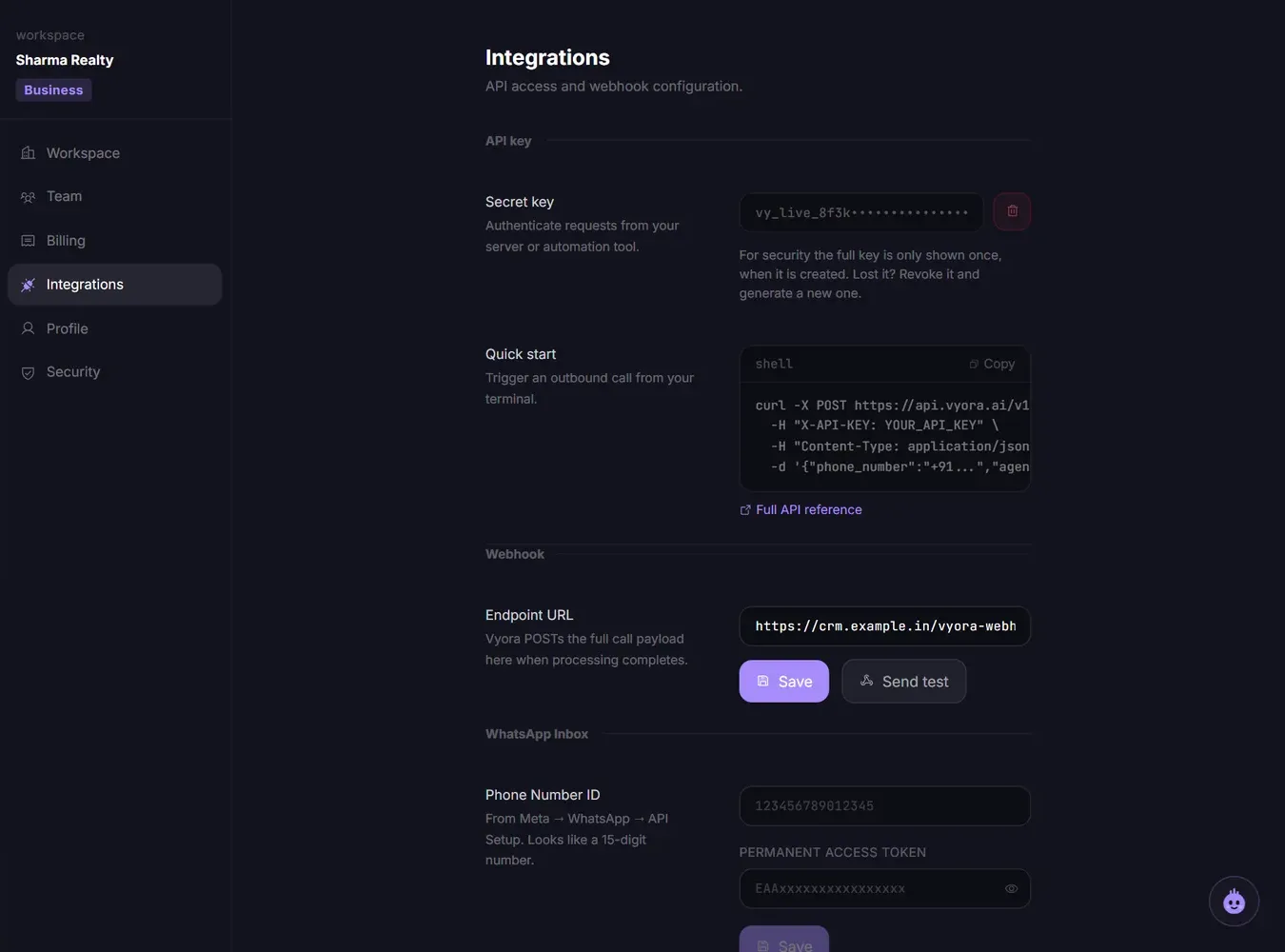
The workspace owner generates the API key in Settings, on the Integrations tab. It is shown only once. Send it in the X-API-KEY header to https://api.vyora.ai/v1, use the agent id from GET /v1/agents and the number id from GET /v1/numbers, and add a webhook URL to get each call's result.
Generate your API key
- Open Settings and go to the Integrations tab.
- Under API key, click Generate key.
- Copy the key straight away and store it safely. It starts with
vya_live_.
Only the workspace owner can generate or revoke the key. Others see "Only the workspace owner can generate an API key."
The full key is shown only once. After you leave the page, Settings shows only the start of the key followed by dots. That masked text is not your key and will not work. If you lost the key, click the bin icon (Revoke key), then generate a new one. Anything using the old key stops working immediately.
Place a call
All requests go to https://api.vyora.ai/v1 with your key in the X-API-KEY header. Full reference: API documentation.
GET /v1/agentslists your agents and their ids.GET /v1/numberslists the caller numbers for your workspace and their ids.POST /v1/callsplaces a call:
curl -X POST https://api.vyora.ai/v1/calls \
  -H "X-API-KEY: YOUR_API_KEY" \
  -H "Content-Type: application/json" \
  -d '{"phone_number":"+919876543210","agent_id":"YOUR_AGENT_ID","from_number_id":"YOUR_NUMBER_ID"}'
GET /v1/calls/<call_id>returns the status, transcript, recording and analysis once the call is processed.
Requests per minute
| Plan | Requests per minute |
|---|---|
| Free | 10 |
| Builder | 60 |
| Business | 300 |
Get call results by webhook
- In Settings, Integrations tab, under Webhook, enter your Endpoint URL and click Save.
- Click Send test. You should see Delivered.
- Copy the Signing secret that appears and use it to check the
X-Vyora-Signatureheader (an HMAC-SHA256 of the raw body).
Vyora sends one POST per call, with the event call_completed, after the recording and analysis are ready. Your server must reply with a 200 within 5 seconds.
Common errors
| Error | Cause | Fix |
|---|---|---|
| 401 "Invalid API key" | The key is wrong, old or revoked | See below |
| 401 "Unauthorized - provide X-API-KEY or Authorization header" | The key was not sent | Send it in a header named exactly X-API-KEY |
| "from_number_id is required" | No number id in the body | Add from_number_id from GET /v1/numbers |
| "Invalid from_number_id - not assigned to this workspace" | The id is from another workspace, or is a phone number | Use an id from GET /v1/numbers, called with the same key |
| "No agent found with id ..." | The agent is archived or in another workspace | Use an id from GET /v1/agents with the same key |
| 402 "Insufficient credits" | Balance below 15 credits | Top up on the Credits page |
| 429 "Rate limit exceeded" | Too many requests this minute | Wait for the time in the Retry-After header |
"Invalid API key" when the key looks right
- You copied the masked key. Only the key shown at the moment you generated it works.
- A new key was generated. Each workspace has one key. Generating a new one replaces the old one.
- Extra characters. Check for spaces or a line break around the key. Do not add "Bearer" in front.
- Wrong workspace. If you belong to more than one workspace, each has its own key, agents and numbers.
"From numbers not found"
This came from the calling network when the number id did not match the line your workspace dials from. Vyora now picks the right line for any id that GET /v1/numbers gives you. Call GET /v1/numbers again with your key and use the id it returns. If you still see this error, raise a ticket with your workspace name and the request time.
Related articles
Still stuck?
Write to us with what you tried. A person on the team reads every message and replies by email.