My agent or test call is not calling
Updated
Quick answer
Most calls that never start are missing one of these. At least 15 credits, an active workspace, a valid mobile number with +91 in front, and, for campaigns, a WhatsApp-verified number and calling hours between 9 AM and 9 PM IST. If the call was placed but did not ring, open it on the Calls page to see why it failed.
Quick checklist
- Credits: your balance is at least 15. Every call needs this before it starts, including test calls.
- Workspace: it is active. A new workspace can be waiting for approval.
- Number: the number you are calling is a mobile number, entered with the right country code (+91 for India). Landlines are not called.
- Your role: you are a Member, Admin or Owner. Viewers cannot place calls.
- Campaigns only: you have verified your mobile number on WhatsApp, and the calling hours are between 9 AM and 9 PM IST.
What the error message means
| Message | What it means | Fix |
|---|---|---|
| You need at least 15 credits to make a call. | Balance below 15 credits | Buy a credit pack or upgrade on the Credits page |
| workspace_inactive / Workspace is not active | Workspace not approved yet, or suspended | Raise a ticket from the dashboard |
| Invalid phone number | The number is not a real mobile number | Check the digits and the country code |
| FIXED_LINE number, not a mobile | It is a landline | Use a mobile number |
| Placing calls needs the Member role or higher | You are a Viewer in this workspace | Ask the workspace owner to change your role |
| No phone number assigned. Contact support. | No calling number is linked to your workspace | Raise a ticket; the team links one |
| Verify your mobile number before launching a campaign. | WhatsApp verification not done | Follow the Verify your number pop-up |
| Calling hours must be between 09:00 and 21:00 IST | Calling window outside TRAI hours | Pick a window inside 9 AM to 9 PM |
Test call: "Call initiated!" but the phone never rang
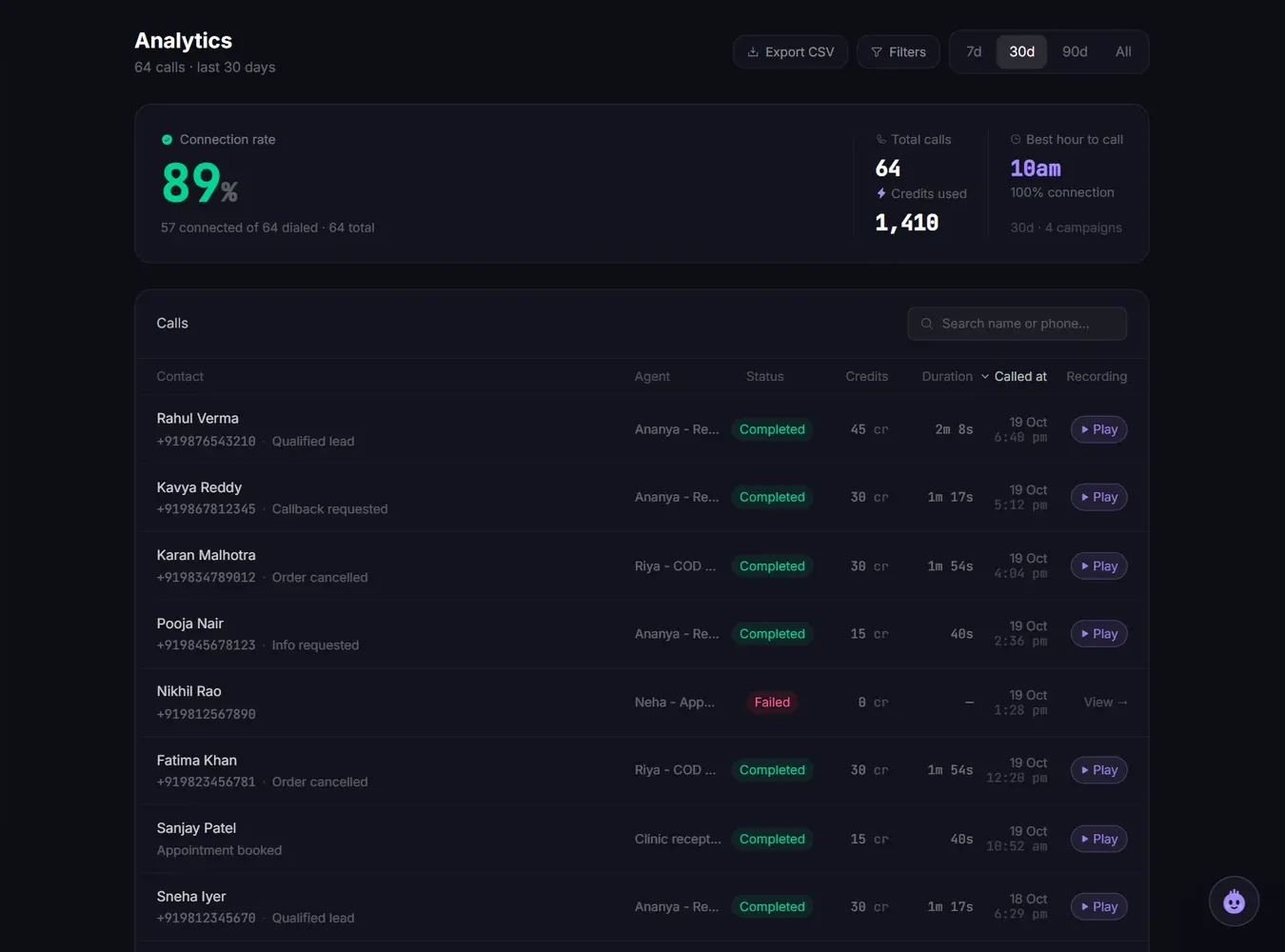
The call was sent. Open Calls in the sidebar, find the call and open it. The details show what happened:
- The network refused the call: the number may be on DND or barred.
- Number does not exist: a typo in the number.
- Line was busy or not answered: try again in a few minutes.
Calls that never connect cost nothing.
Test calls are not limited to calling hours, so a test call at night should still ring.
Campaign launched but no calls yet
- Outside calling hours: campaign calls only go out between the start and end time you set, inside 9 AM to 9 PM IST. A campaign launched at 10 PM starts dialling the next morning.
- Start time in the future: a campaign set to start later shows as scheduled until then.
- Credits ran out: campaigns stop automatically when the balance reaches 0. A stopped campaign cannot be resumed; top up and create a new campaign with the remaining contacts.
- Numbers were removed: after launch you see how many invalid or landline numbers were removed before dialling. If every number was invalid, nothing is called.
If the campaign still shows as scheduled long after its calls should have finished, see Campaign stuck on Scheduled.
Still not calling?
Ask the assistant in the bottom corner of the dashboard, or raise a ticket. Include the agent's name and the time you tried, so the team can find the call.
Related articles
Still stuck?
Write to us with what you tried. A person on the team reads every message and replies by email.